ITR-1 and ITR-4 Filing
Here are the steps that you need to follow to file your ITR 1 and ITR 4 through Tax2win without a CA -
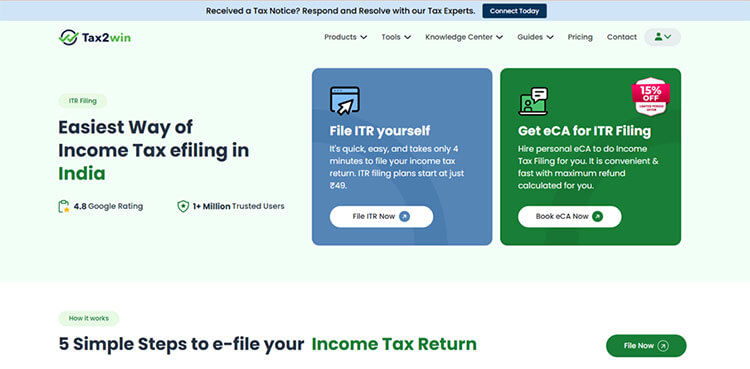
Step 1: Either sign in to the tax2win website using your existing credentials or sign up to the portal and create an account. Click on “File ITR Now”.
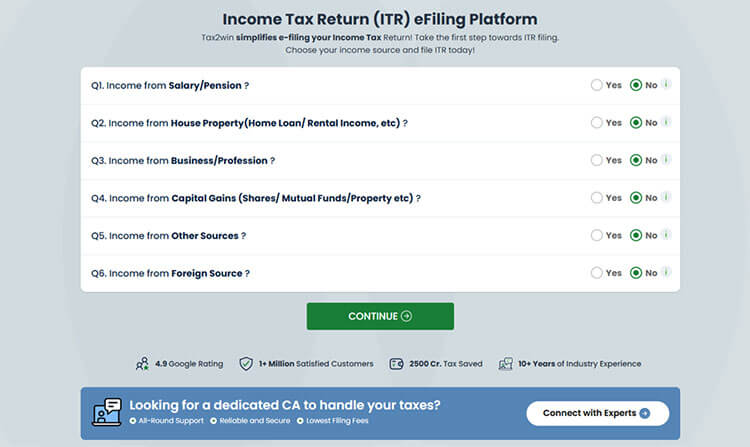
Step 2: After logging in, a table consisting of all the possible sources of income opens. You need to select the income sources that you have. Based on your sources of income, Tax2win’s DIY ITR filing system selects the applicable ITR form automatically.
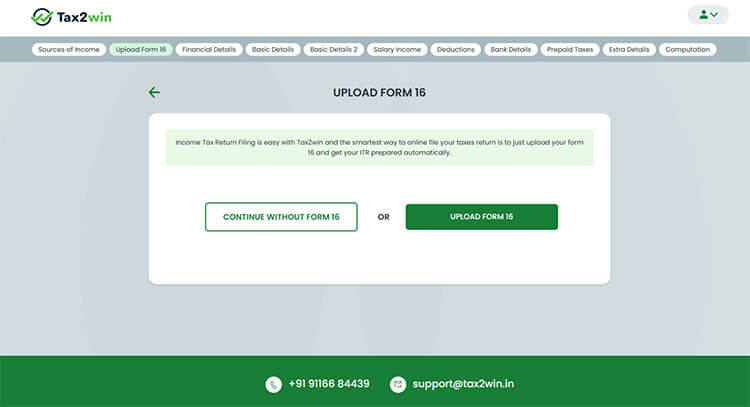
Step 3. You need to upload Form 16. In case you don’t have Form 16, you can simply skip the option and proceed further by clicking on “continue without Form 16”.
Step 4. Enter the following details -
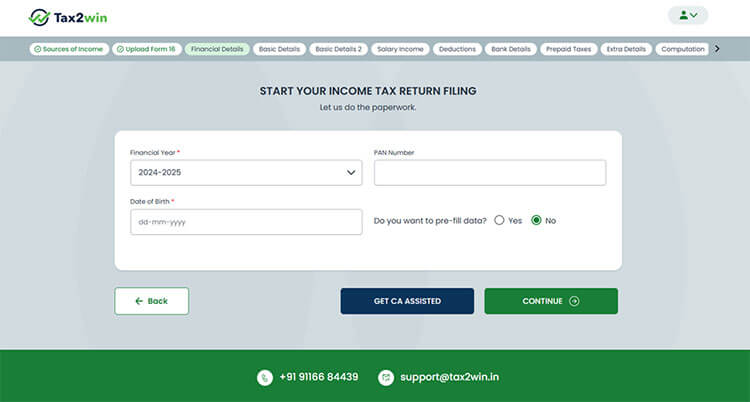
- Select the Financial Year for which you are filing your ITR
- Enter the PAN number and Date of Birth.
- Under the option “Do you want to pre-fill data”, select Yes if you want to get your data pre-filled. Our AI enabled platform will automatically fetch most of your data from the Income Tax Department’s database, and you won’t have to enter all your details manually.
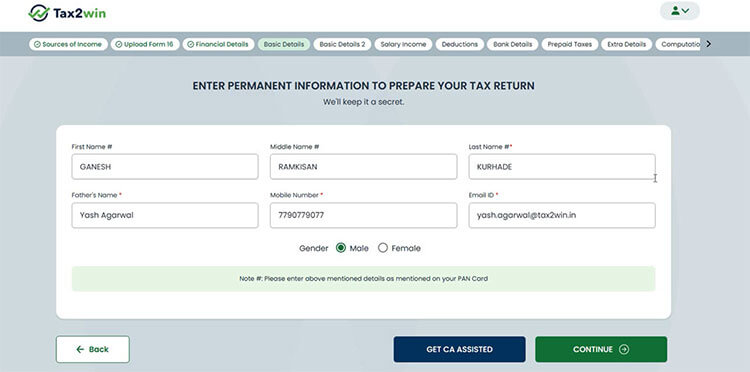
Step 5: If you have selected ‘Yes’ under pre-fill data in the previous step, your data will be pre-filled. And if you opted not to pre-fill your data, you will have to enter a few basic details such as name, email ID, date of birth, father’s name, gender, etc.
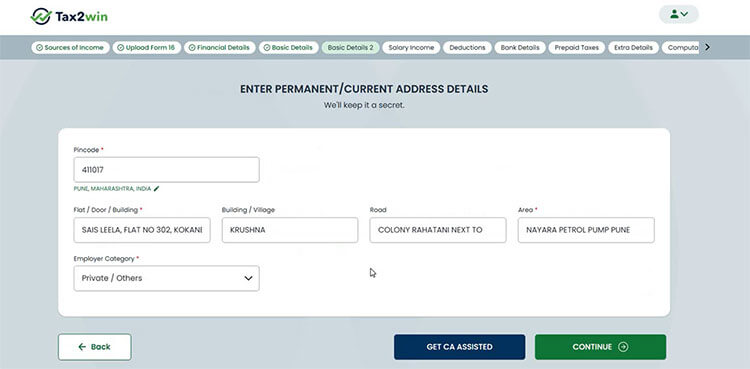
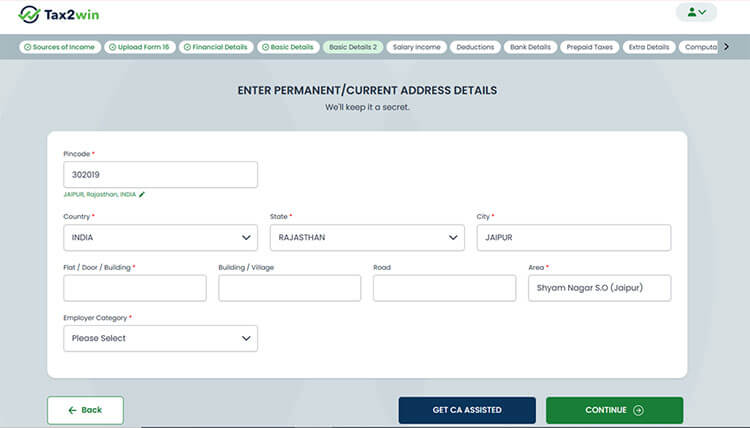
Step 6. In the next step, you have to provide your address details and employer category. You can refer to the image below to understand this better.
Note: If you have selected pre-fill data in the previous steps, your data will be auto filled.
You can also edit your state, city, and country by clicking on the edit icon below the Pincode tab.
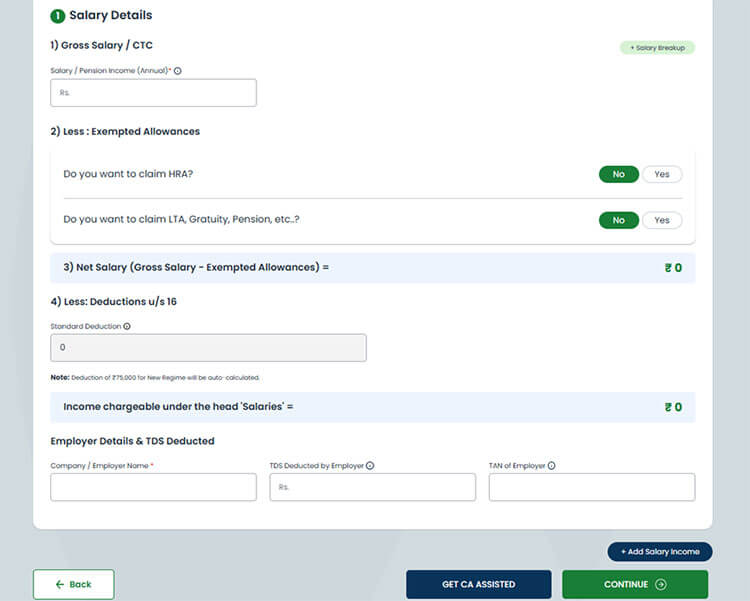
Step 7. Next, enter your employment details. If you're a salaried employee, the standard deduction will be applied automatically. As shown in the image below, provide details such as your gross salary/CTC, exempt allowances like HRA, LTA, gratuity, net salary, standard deduction, and professional tax under Section 16. You are also required to provide the details of your employer and the TDS deducted by the employer.
Note: If you've uploaded Form 16, our AI enabled, self filing software will automatically fill these details in your ITR form. Simply verify the information and continue with the filing process.
If you have opted for Presumptive Income Scheme
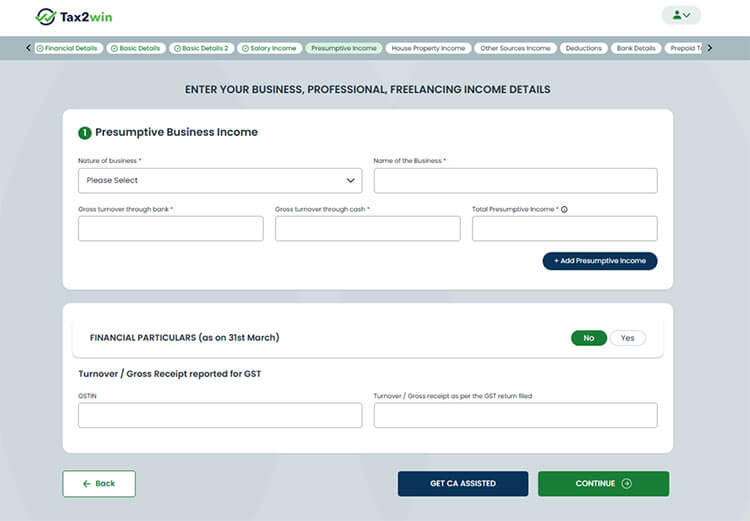
If you have opted for the presumptive income scheme and selected “Income from business/profession” on the sources of income page, you can find the presumptive income tab at the top, after the salary income tab.
Here you can enter the details of your business. Enter the nature of business, name of business, gross turnover (bank & cash), total presumptive income, and turnover for gross receipts reported for GST.
If you have Income from House Property
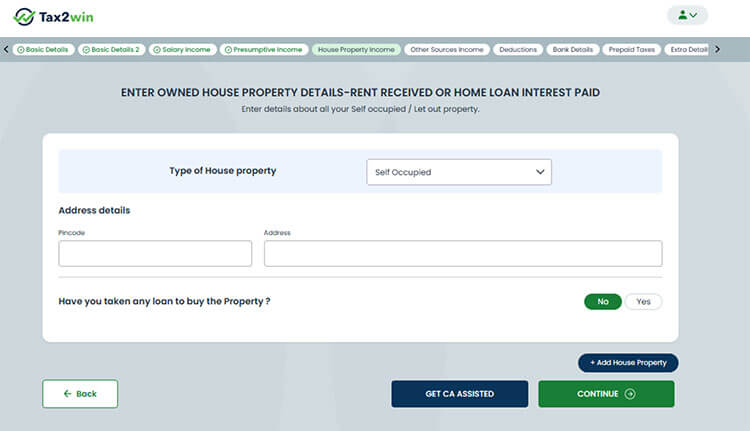
If you have any income from house property during the year, you must select Income from House Property on the Sources of Income page. If you have selected House property as a source of income, you will see a House property income tab at the top of the page.
Under this tab, you can add your house property income details. Select the type of house property. Enter its address and also the details of the loan taken to purchase it (if any).
If you have Long Term Capital Gain income Upto Rs. 1.25 lakhs or Income from Other Sources
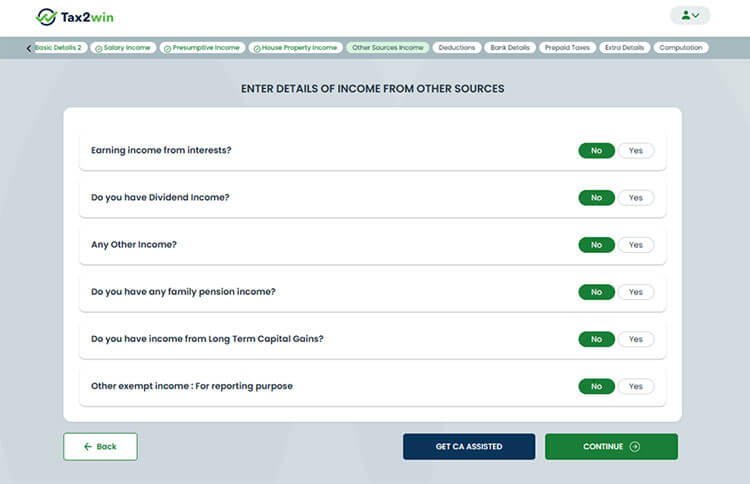
If you have interest income, dividend income, family pension, other income, or any income from capital gains upto Rs. 1.25 lakhs, you must select “income from other sources” from the sources of income page.
Enter the relevant details about your interest income, dividends, long-term capital gains, etc, under this section.
Note: Starting FY 2024-25, taxpayers can report long-term capital gains income upto Rs. 1.25 lakhs in ITR-1 and ITR-4 too.
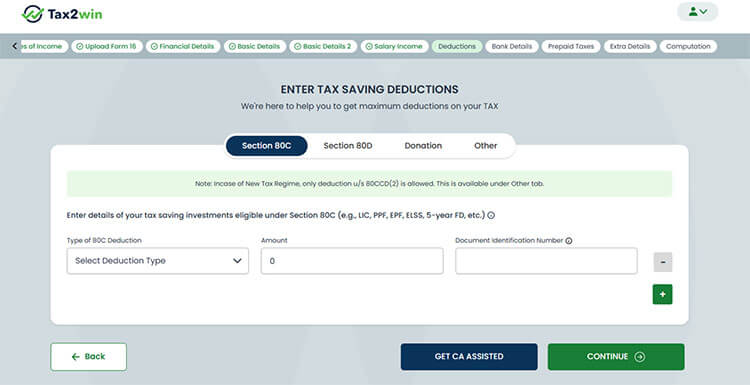
Step 8. Enter the details of the investment made during the year to calculate the applicable deductions. Under the 80C deductions tab, select the deduction type, deduction amount, and the reference number of your investment proof.
Note: Starting FY 2024-25, taxpayers are required to provide investment proof for all the deductions claimed.
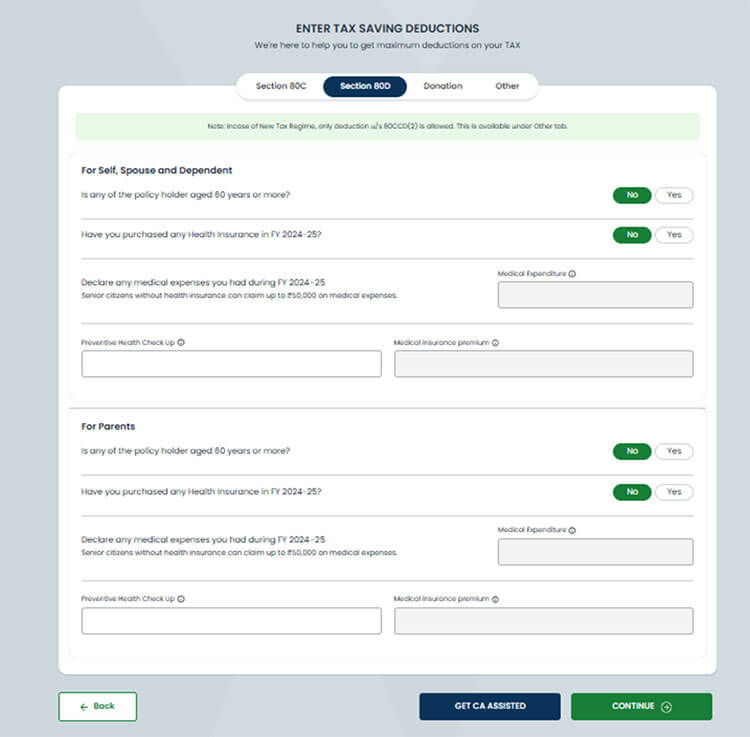
Navigate to the section 80D tab and enter the details of the medical expenditure incurred, health insurance premium paid, and the expenses on a preventive health checkup. Expenses under section 80D can only be claimed if they have been incurred on parents, self, spouse, and dependent.
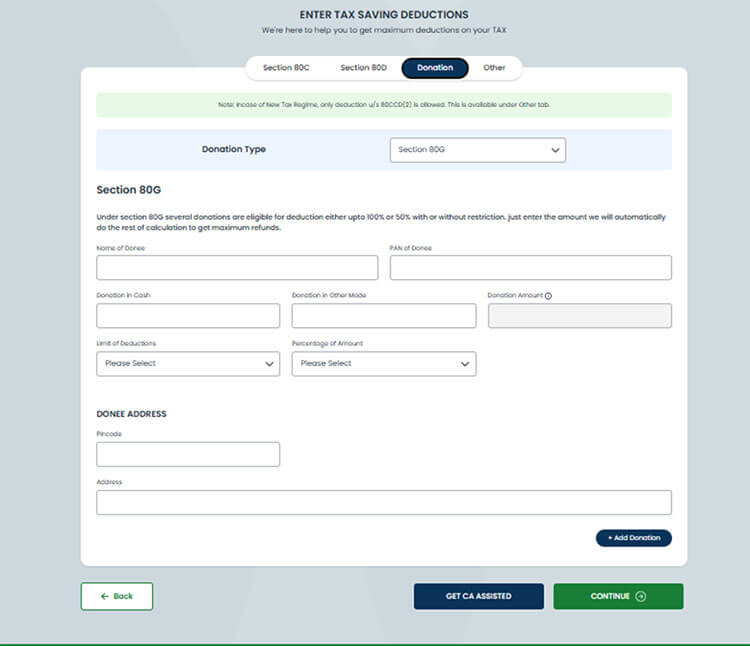
Navigate to the donation tab. If you have made any donation under section 80G or 80GGC, enter its details here. Select the donation type and fill in the details asked in the form below.
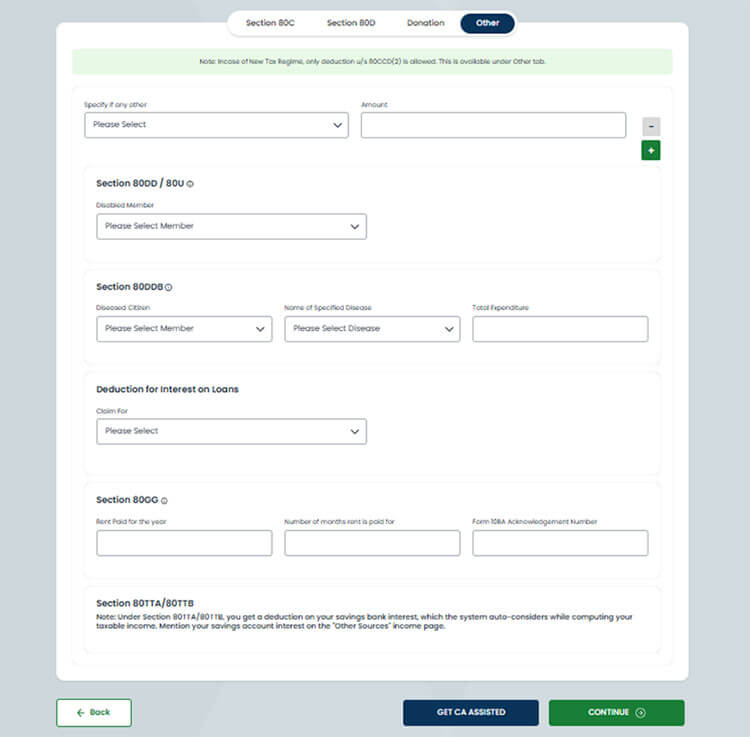
Navigate to the other tab. If you are eligible for deductions under 80CCC, 80CCH, 80CCD(1), 80CCD(1B) or 80CCD(2), enter its details. Further, enter the details of the deductions under section 80DD/80U, 80DDB, 80GG, or interest on loans. 80TTA/80TTB deductions will be calculated automatically by Tax2win’s software.
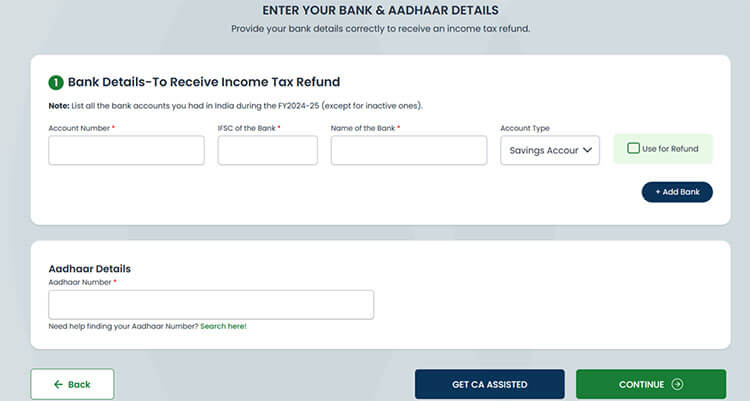
Step 9. In the next step. Enter your bank details, where you want to receive your income tax refund. Make sure to list out all the active bank accounts you had in India during the financial year. Also, enter your Aadhaar number and click on continue.
Step 10. Navigate to the Prepaid Taxes tab. If you have a Form 26AS, you can upload it by clicking on “upload Form 26AS” and avoid manual entry of the details.
If you don’t have Form 26AS, you can enter the details of the TDS and TCS manually. Select ‘Yes’ against each option and enter the details of the TDS deducted in the dropdown.
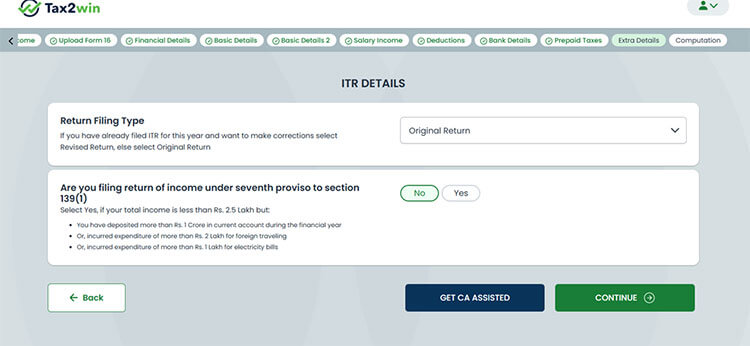
Step 11. Navigate to the extra details tab and select the return filing type and other important details.
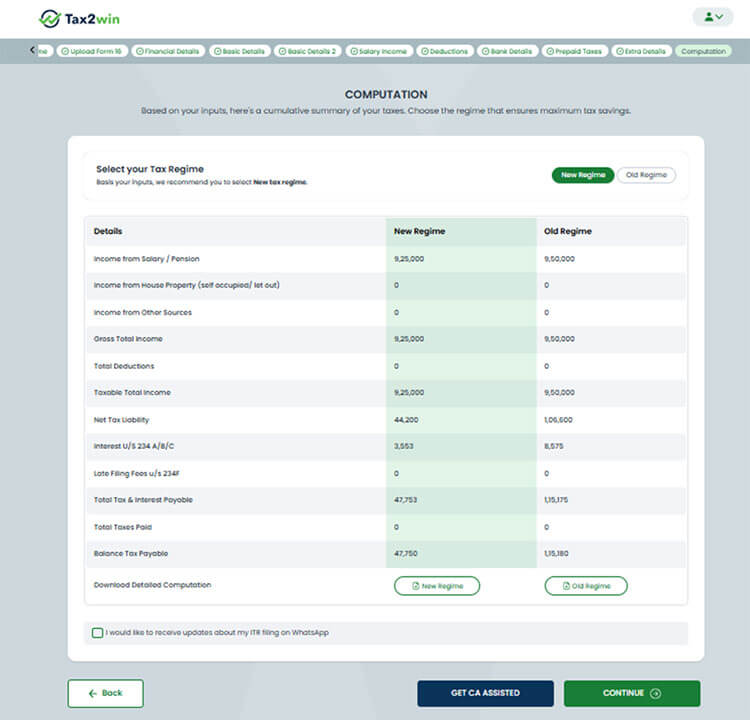
Step 12. In the next step, our AI powered smart Self filing software will automatically compute your taxable income, tax liability, and refund under both the old and the new regime. You can compare your tax liability under both regimes and select the one that is more beneficial for you.
You can also download the detailed computation under the old and the new regime.
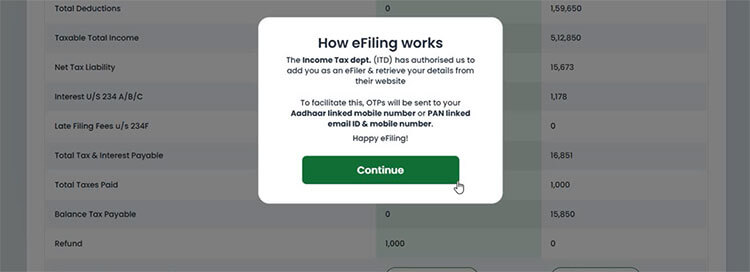
Step 13. As soon as you click on continue, you will see the following pop up. Click on continue.
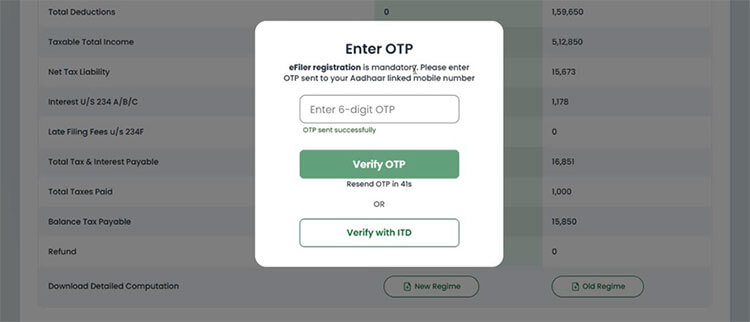
Step 14. You will receive an OTP on your Aadhaar linked mobile number. Enter the OTP and click on “verify OTP”. You can also verify with the ITD portal.
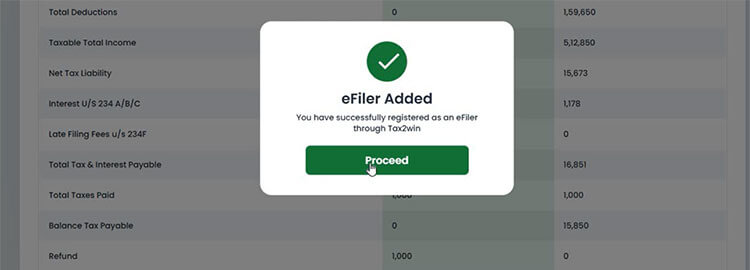
Step 15. After verifying the OTP, you will be added as an e-filer with Tax2win. Now, click on proceed.
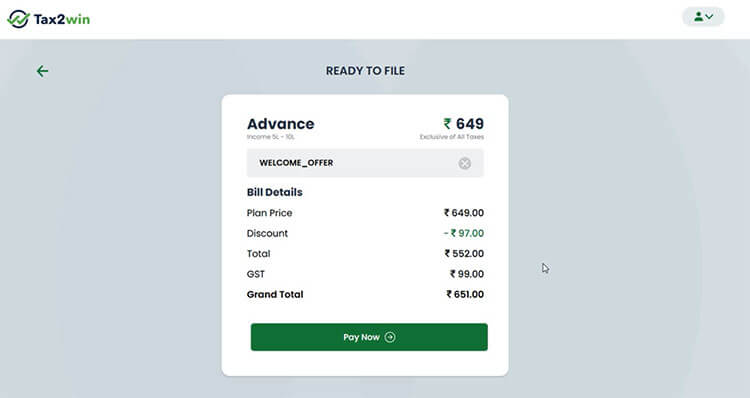
Step 16. After clicking on proceed, the payment window will open in front of you. The discount will be automatically applied, you can make the payment by clicking on ‘Pay now’.
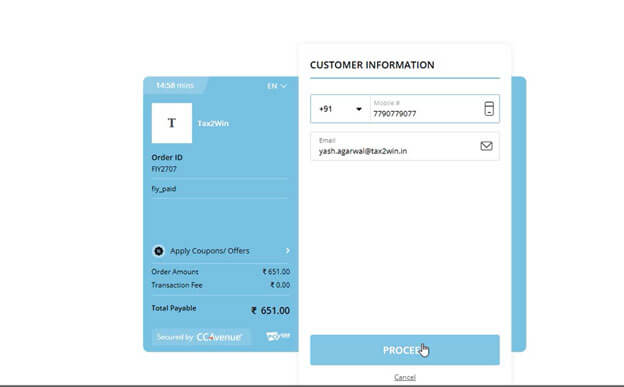
Step 17. After clicking on the pay now, the following window will open in front of you. Click on ‘Proceed’. You can make the payment through Netbanking or UPI.
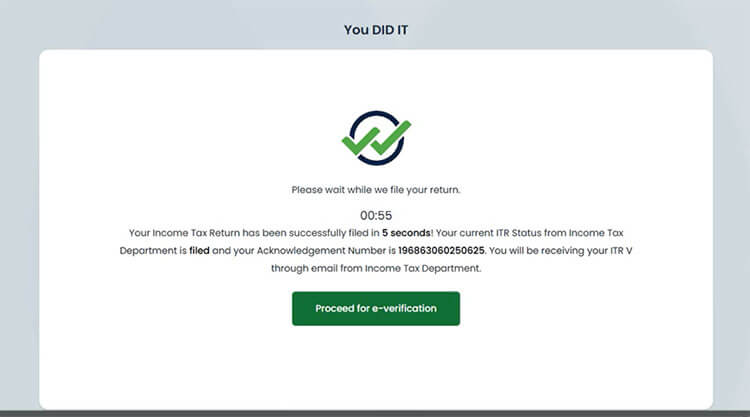
Step 18. Your income tax return will be filed. If you want to e-verify your return simultaneously, you can click on ‘Proceed for e verification’.
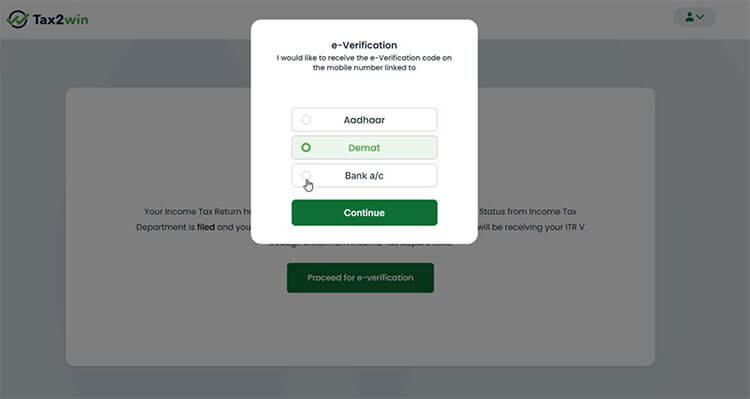
Step 19. You can e-verify your ITR using Aadhaar, Demat, or a bank account. Select your desired e-verification method and click on ‘continue’.
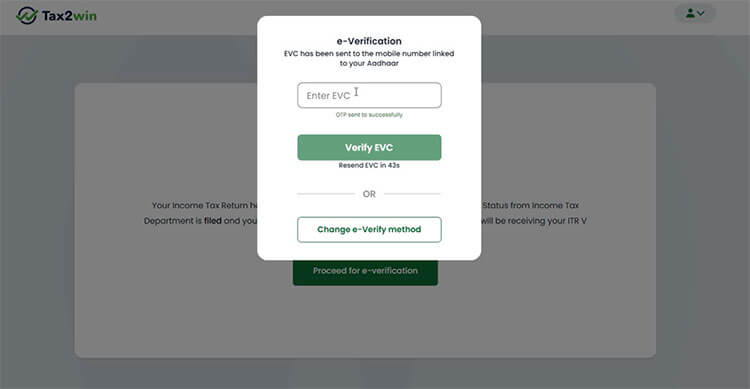
Step 20. You will receive an EVC on your mobile number. Enter the EVC and click on ‘Verify EVC’.
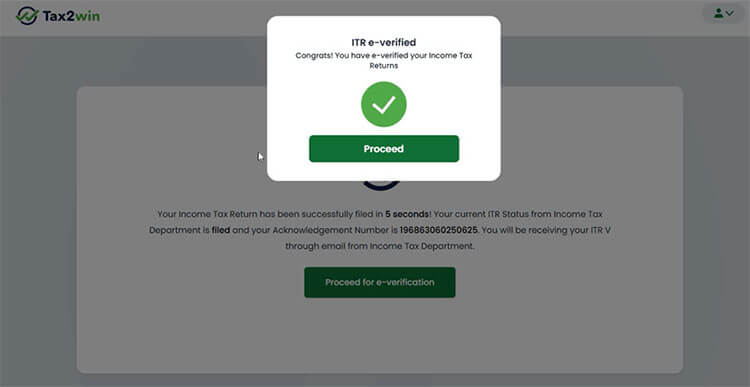
Step 21. Your ITR will be successfully e-verified.
Now that you have understood the process of self filing your ITR through Tax2win without a CA, you can go ahead and start filing your ITR yourself. File ITR Now!
ITR filing for FY 2024-25 is underway, and this year marks the beginning of major changes in the ITR forms. If you are struggling with taxes, don’t worry! Simply get in touch with our tax experts who can help you with everything related to taxes, right from tax planning to tax filing and notice assistance. Book an eCA now!